Subscriptions Checkout
The Subscriptions Checkout allows you to initiate a recurring payment agreement directly through our Checkout solution — either embedded (JavaScript widget) or via Redirect Checkout — without the need to call the Subscriptions API directly.
We currently support two subscription schemes through Checkout:
| Scheme | Region | Description |
|---|---|---|
| PIX_AUTOMATICO | Brazil | Recurring PIX enrollment via QR Code authorization. |
| CARD | Multiple Countries | Card-based recurring billing using tokenized cards. |
For a deep dive into the full subscription lifecycle, status transitions, orchestration models, and dunning logic, refer to the Subscriptions Documentation. For PIX Automático-specific rules and scheduling windows, see PIX Automático. For Card-specific rules, see Card Subscriptions.
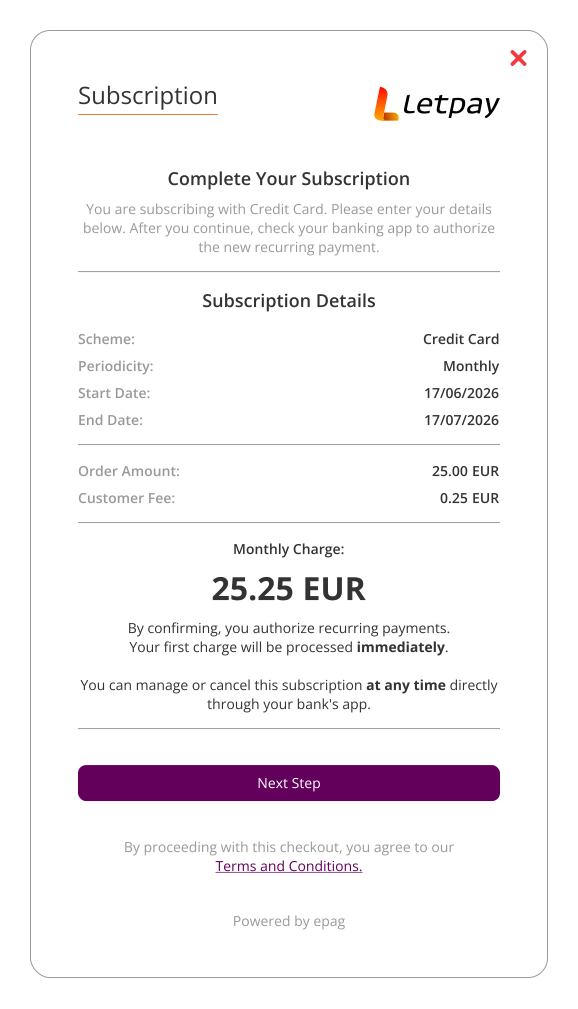
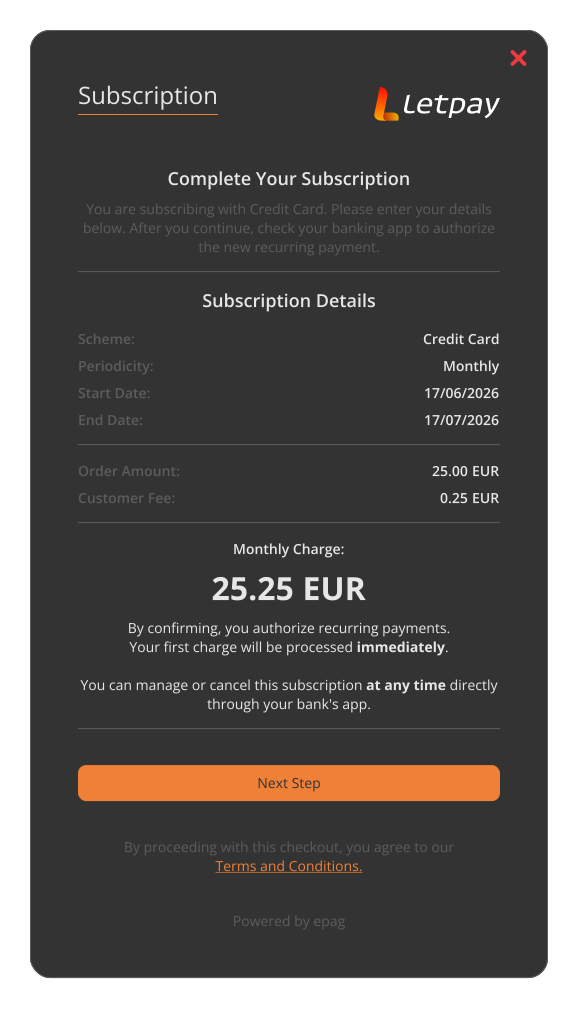
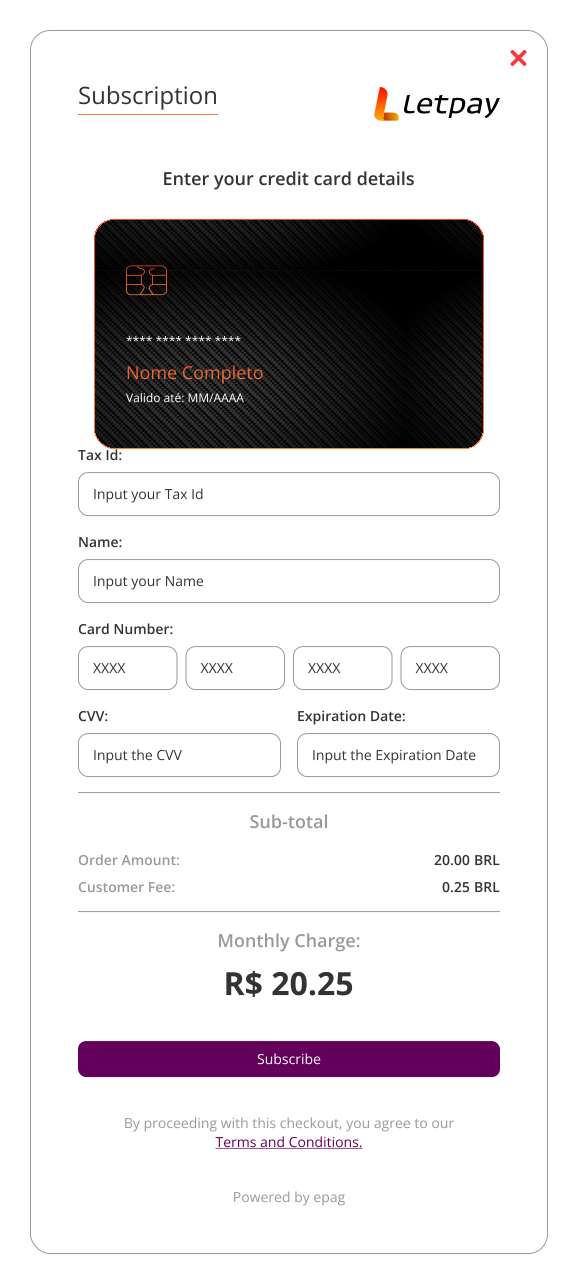
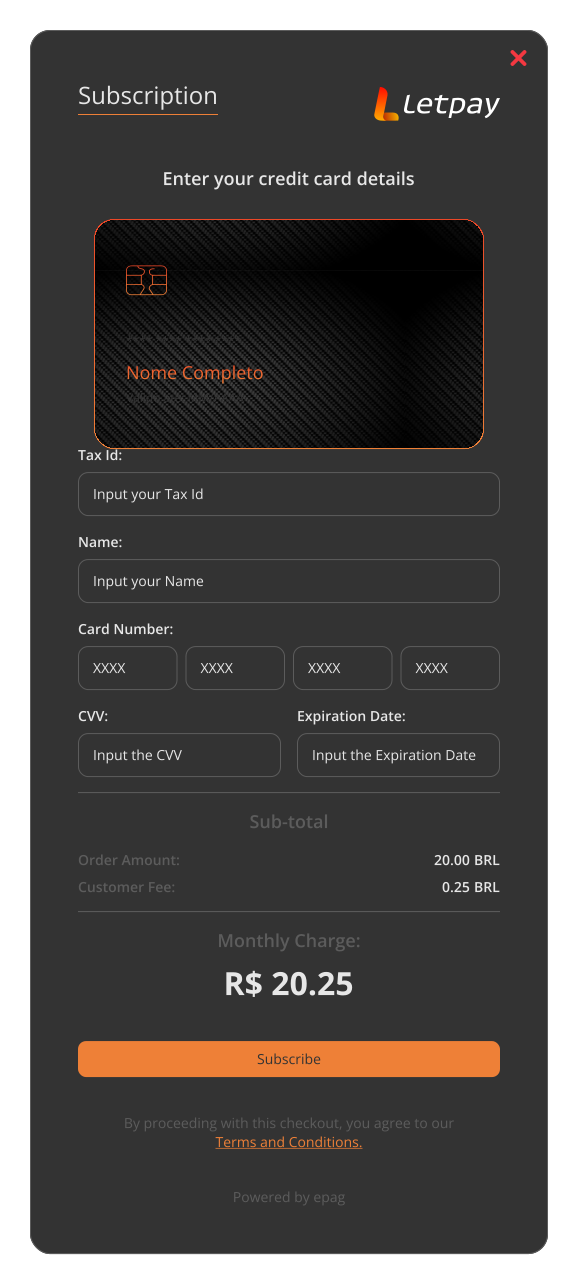
Reference Checkout UI
- PIX Automático
- Cards
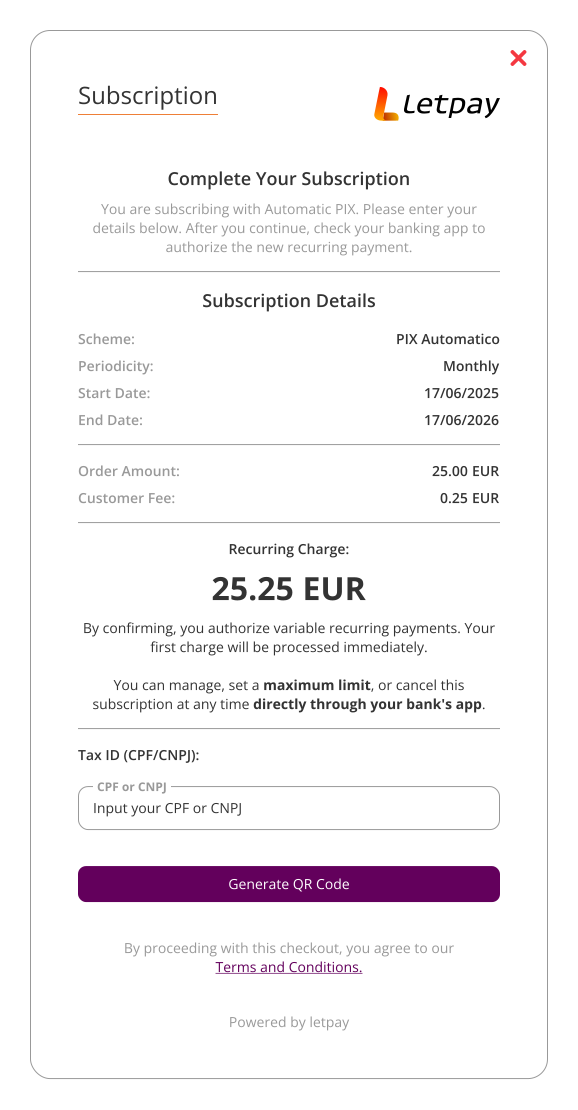
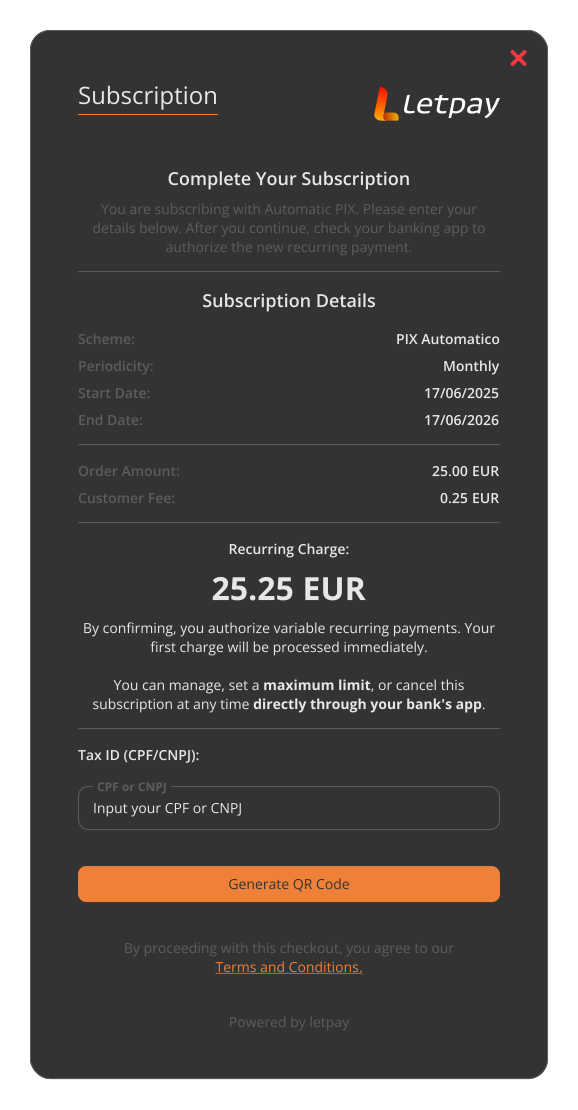
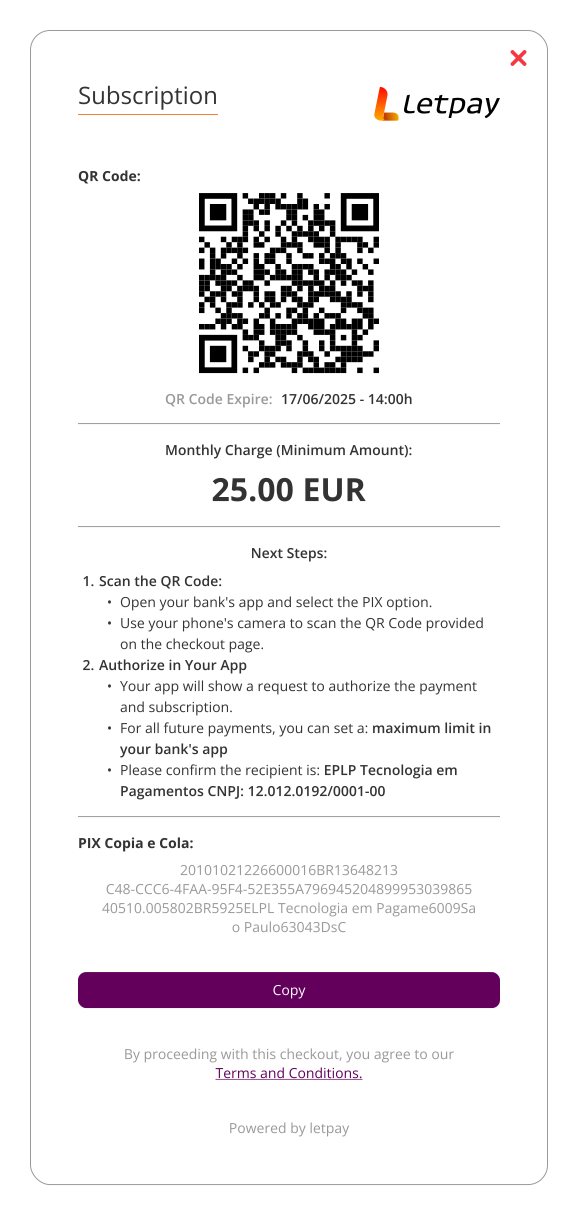
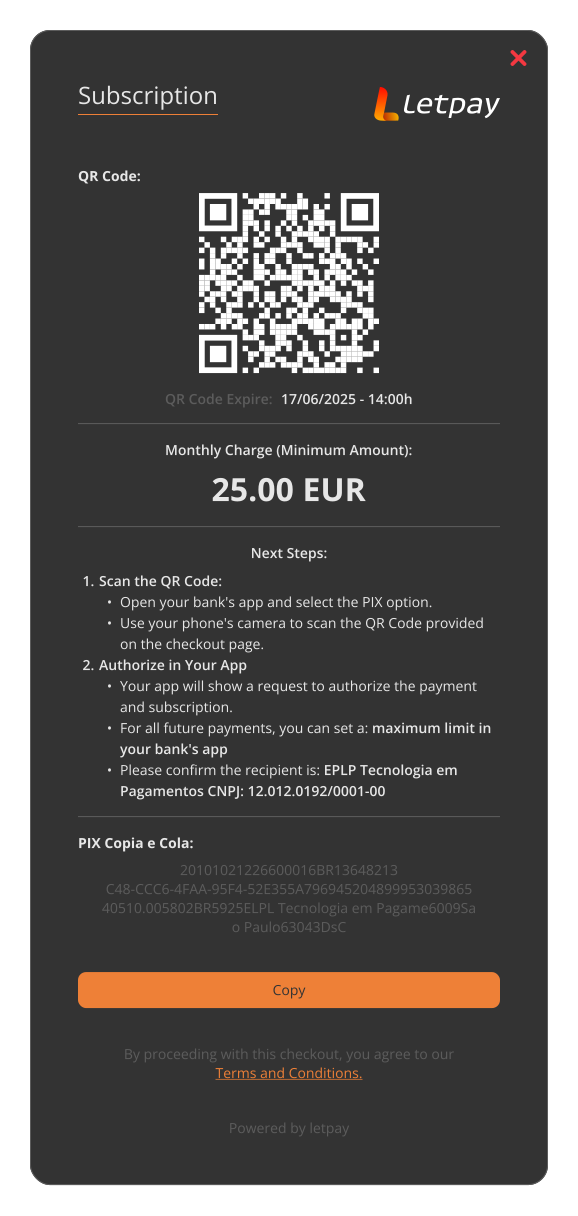
Flow
- PIX Automático
- Cards
Step-by-step
- Merchant initiates the Checkout solution with
method: "PIX"andsubscription: true. - The enrollment QR Code is presented to the customer.
- Customer scans the QR Code and confirms the recurring payment authorization in their banking app.
- letpay registers the subscription and notifies the merchant via the
subscriptionNotificationUrl. - The Billing Engine automatically generates and processes charges according to the configured
subscriptionPeriodicity.
Step-by-step
- Merchant initiates the Checkout solution with
subscription: trueandsubscriptionScheme: "CARD". - The card payment form is presented to the customer.
- Customer enters card details and confirms the subscription.
- letpay tokenizes the card, creates the subscription, and notifies the merchant via the
subscriptionNotificationUrl. - The Billing Engine automatically generates and processes charges according to the configured
subscriptionPeriodicity.
Frontend Integration
Include our JavaScript library in the <head> section of your HTML:
<script src="https://checkout-sandbox.letpay.io/checkout-v0.1.js"></script>
Method I: HTML
- PIX Automático
- Cards
<body>
  <letpay-checkout
    amount="10.00"
    asset="BRL"
    reference-id="MY_REFERENCE_ID"
    contract-id="MY_CONTRACT_ID"
    subscription="true"
    subscription-reference-id="MY_SUBSCRIPTION_REFERENCE_ID"
    subscription-scheme="PIX_AUTOMATICO"
    subscription-retry-policy="NOT_ALLOW"
    subscription-amount-type="FIXED"
    subscription-periodicity="WEEKLY"
    subscription-amount="15.00"
    subscription-asset="BRL"
    subscription-due-date="2026-02-18"
    subscription-initial-charge="true"
    subscription-merchant-initiation="false"
    subscription-notification-url="https://my.notification.url/subscription"
    subscription-description="Music Streaming Service"
    subscription-minimum-amount="0.01">
  </letpay-checkout>
</body>
<body>
  <letpay-checkout
    amount="10.00"
    asset="BRL"
    reference-id="MY_REFERENCE_ID"
    contract-id="MY_CONTRACT_ID"
    subscription="true"
    subscription-reference-id="MY_SUBSCRIPTION_REFERENCE_ID"
    subscription-scheme="CARD"
    subscription-retry-policy="001"
    subscription-amount-type="FIXED"
    subscription-periodicity="MONTHLY"
    subscription-amount="15.00"
    subscription-asset="BRL"
    subscription-due-date="2026-02-18"
    subscription-initial-charge="true"
    subscription-merchant-initiation="false"
    subscription-notification-url="https://my.notification.url/subscription"
    subscription-description="Soft Descriptor">
  </letpay-checkout>
</body>
Method II: JavaScript
- PIX Automático
- Cards
const letpayCheckout = new LetPayCheckout({
  amount: 10.00,
  asset: "BRL",
  referenceId: "MY_REFERENCE_ID",
  contractId: "MY_CONTRACT_ID",
  subscription: true,
  subscriptionReferenceId: "MY_SUBSCRIPTION_REFERENCE_ID",
  subscriptionScheme: "PIX_AUTOMATICO",
  subscriptionRetryPolicy: "NOT_ALLOW",
  subscriptionAmountType: "FIXED",
  subscriptionPeriodicity: "WEEKLY",
  subscriptionAmount: 15.00,
  subscriptionAsset: "BRL",
  subscriptionDueDate: "2026-02-18",
  subscriptionEndDate: null,
  subscriptionForceWorkDay: false,
  subscriptionInitialCharge: true,
  subscriptionMerchantInitiation: false,
  subscriptionNotificationUrl: "https://my.notification.url/subscription",
  subscriptionDescription: "My Subscription",
  subscriptionMinimumAmount: 0.01,
});

letpayCheckout.mountIn('#checkout-container-element');
const letpayCheckout = new LetpayCheckout({
  amount: 10.00,
  asset: "BRL",
  referenceId: "MY_REFERENCE_ID",
  contractId: "MY_CONTRACT_ID",
  subscription: true,
  subscriptionReferenceId: "MY_SUBSCRIPTION_REFERENCE_ID",
  subscriptionScheme: "CARD",
  subscriptionRetryPolicy: "001",
  subscriptionAmountType: "FIXED",
  subscriptionPeriodicity: "MONTHLY",
  subscriptionAmount: 15.00,
  subscriptionAsset: "BRL",
  subscriptionDueDate: "2026-02-18",
  subscriptionEndDate: null,
  subscriptionMerchantInitiation: false,
  subscriptionNotificationUrl: "https://my.notification.url/subscription",
  subscriptionDescription: "Soft Descriptor",
});

letpayCheckout.mountIn('#checkout-container-element');
Redirect Checkout
You can also create a subscription via the Redirect Checkout endpoint, which generates a hosted checkout URL with the subscription parameters.
POST https://api-sandbox.letpay.io/checkout/generate
Authorization
| Header | Value |
|---|---|
| X-Auth-Token | MY_ACCESS_TOKEN |
Example Request
- PIX — Enrollment Only
- PIX — Enrollment + Initial Charge
- PIX — Variable Amount
- Cards — Fixed Amount
- Cards — Variable Amount
Request
{
  "contractId": "MY_CONTRACT_ID",
  "paymentCountry": "BR",
  "paymentCurrency": "BRL",
  "notificationUrl": "https://my.notification.url/payment",
  "subscription": true,
  "subscriptionScheme": "PIX_AUTOMATICO",
  "subscriptionRetryPolicy": "NOT_ALLOW",
  "subscriptionAmountType": "FIXED",
  "subscriptionPeriodicity": "WEEKLY",
  "subscriptionAmount": 15.00,
  "subscriptionAsset": "BRL",
  "subscriptionDueDate": "2026-02-18",
  "subscriptionEndDate": null,
  "subscriptionForceWorkDay": false,
  "subscriptionInitialCharge": false,
  "subscriptionMerchantInitiation": false,
  "subscriptionNotificationUrl": "https://my.notification.url/subscription",
  "subscriptionDescription": "Music Streaming Service"
}
Response
{
  "url": "MY_CHECKOUT_URL",
  "expires_at": "2026-02-16T10:00:00.000",
  "refresh_token": "MY_ACCESS_TOKEN"
}
Request
{
  "amount": 35.00,
  "asset": "BRL",
  "referenceId": "MY_REFERENCE_ID",
  "contractId": "MY_CONTRACT_ID",
  "paymentCountry": "BR",
  "paymentCurrency": "BRL",
  "notificationUrl": "https://my.notification.url/payment",
  "subscription": true,
  "subscriptionScheme": "PIX_AUTOMATICO",
  "subscriptionRetryPolicy": "NOT_ALLOW",
  "subscriptionAmountType": "FIXED",
  "subscriptionPeriodicity": "WEEKLY",
  "subscriptionAmount": 15.00,
  "subscriptionAsset": "BRL",
  "subscriptionDueDate": "2026-02-18",
  "subscriptionEndDate": null,
  "subscriptionForceWorkDay": false,
  "subscriptionInitialCharge": true,
  "subscriptionMerchantInitiation": false,
  "subscriptionNotificationUrl": "https://my.notification.url/subscription",
  "subscriptionDescription": "Music Streaming Service"
}
When subscriptionInitialCharge is true, the QR Code presented to the customer will embed two actions in a single scan:
- Authorization of the recurring PIX Automático agreement.
- An immediate first charge of
amountandasset.
Response
{
  "url": "MY_CHECKOUT_URL",
  "expires_at": "2026-02-16T10:00:00.000",
  "refresh_token": "MY_ACCESS_TOKEN"
}
Request
{
  "contractId": "MY_CONTRACT_ID",
  "paymentCountry": "BR",
  "paymentCurrency": "BRL",
  "notificationUrl": "https://my.notification.url/payment",
  "subscription": true,
  "subscriptionScheme": "PIX_AUTOMATICO",
  "subscriptionRetryPolicy": "NOT_ALLOW",
  "subscriptionAmountType": "VARIABLE",
  "subscriptionPeriodicity": "WEEKLY",
  "subscriptionDueDate": "2026-02-18",
  "subscriptionEndDate": null,
  "subscriptionForceWorkDay": false,
  "subscriptionInitialCharge": false,
  "subscriptionNotificationUrl": "https://my.notification.url/subscription",
  "subscriptionDescription": "Music Streaming Service",
  "subscriptionMinimumAmount": 0.01
}
Response
{
  "url": "MY_CHECKOUT_URL",
  "expires_at": "2026-02-16T10:00:00.000",
  "refresh_token": "MY_ACCESS_TOKEN"
}
Request
{
  "referenceId": "MY_REFERENCE_ID",
  "contractId": "MY_CONTRACT_ID",
  "paymentCountry": "BR",
  "paymentCurrency": "BRL",
  "notificationUrl": "https://my.notification.url/payment",
  "subscription": true,
  "subscriptionScheme": "CARD",
  "subscriptionRetryPolicy": "001",
  "subscriptionAmountType": "FIXED",
  "subscriptionPeriodicity": "MONTHLY",
  "subscriptionAmount": 15.00,
  "subscriptionAsset": "BRL",
  "subscriptionDueDate": "2026-02-18",
  "subscriptionEndDate": null,
  "subscriptionMerchantInitiation": false,
  "subscriptionNotificationUrl": "https://my.notification.url/subscription",
  "subscriptionDescription": "Soft Descriptor"
}
Response
{
  "url": "MY_CHECKOUT_URL",
  "expires_at": "2026-02-16T10:00:00.000",
  "refresh_token": "MY_ACCESS_TOKEN"
}
Request
{
  "referenceId": "MY_REFERENCE_ID",
  "contractId": "MY_CONTRACT_ID",
  "paymentCountry": "BR",
  "paymentCurrency": "BRL",
  "notificationUrl": "https://my.notification.url/payment",
  "subscription": true,
  "subscriptionScheme": "CARD",
  "subscriptionRetryPolicy": "001",
  "subscriptionAmountType": "VARIABLE",
  "subscriptionPeriodicity": "MONTHLY",
  "subscriptionDueDate": "2026-02-18",
  "subscriptionEndDate": null,
  "subscriptionMerchantInitiation": true,
  "subscriptionNotificationUrl": "https://my.notification.url/subscription",
  "subscriptionDescription": "Soft Descriptor"
}
Response
{
  "url": "MY_CHECKOUT_URL",
  "expires_at": "2026-02-16T10:00:00.000",
  "refresh_token": "MY_ACCESS_TOKEN"
}
Configuration Options
Subscription Parameters
The following parameters activate and configure the recurring payment. They are passed alongside the standard Checkout parameters.
The subscriptionAmountType field drives a key architectural decision. Choosing FIXED vs. VARIABLE has direct UX and conversion implications beyond the technical setup. Before going live, review Override Amount for scenario guidance, FX caveats, and merchant communication templates.
| HTML Attribute | JS Prop | Type | Required | Default | Description |
|---|---|---|---|---|---|
asset | asset | string | no | n/a | Reference code for initial charge's asset. |
amount | amount | number | no | n/a | Total amount of the initial charge. Value must have a maximum of two decimal places. |
notification-url | notificationUrl | string | no | n/a | URL to receive webhook callbacks for payment lifecycle events. |
subscription | subscription | boolean | yes | false | Set to true to enable the subscription enrollment flow. |
subscription-reference-id | subscriptionReferenceId | string | no | n/a | External reference ID assigned by the merchant to the subscription, used for reconciliation. Returned alongside the Subscription's own reference_id in subscription notifications. |
subscription-scheme | subscriptionScheme | string | yes | n/a | The subscription payment scheme. Values: PIX_AUTOMATICO, CARD. |
subscription-retry-policy | subscriptionRetryPolicy | string | yes | n/a | Retry/dunning policy for failed charges. See Retry Policy Reference below. |
subscription-amount-type | subscriptionAmountType | string | yes | n/a | Defines whether the recurring amount is fixed or variable. Values: FIXED, VARIABLE. |
subscription-periodicity | subscriptionPeriodicity | string | yes | n/a | Billing frequency. See Periodicity Reference below. |
subscription-amount | subscriptionAmount | number | yes* | n/a | The recurring charge value. Required when subscriptionAmountType is FIXED. |
subscription-asset | subscriptionAsset | string | yes* | BRL | Currency asset for the recurring charge (e.g., BRL). Required when subscriptionAmountType is FIXED. |
subscription-due-date | subscriptionDueDate | YYYY-MM-DD | yes | n/a | The first due date for the subscription. For PIX Automático, must be at least Today + 2 days. |
subscription-end-date | subscriptionEndDate | YYYY-MM-DD | no | null | End date of the subscription. Use null for open-ended subscriptions. |
subscription-force-work-day | subscriptionForceWorkDay | boolean | no | false | If true, adjusts due dates falling on non-business days to the next business day. Currently, only for PIX_AUTOMATICO. |
subscription-initial-charge | subscriptionInitialCharge | boolean | no | false | If true, bundles an immediate first charge into the enrollment. PIX Automático only. |
subscription-merchant-initiation | subscriptionMerchantInitiation | boolean | yes* | false | If false, the Billing Engine drives the lifecycle automatically. If true, the merchant triggers each billing cycle. |
subscription-notification-url | subscriptionNotificationUrl | string | no | n/a | URL to receive webhook callbacks for subscription lifecycle events. |
subscription-description | subscriptionDescription | string | no | n/a | Description shown on the payer's bank statement for the recurring charges. For PIX_AUTOMATICO max 35 characters. For CARD max 16 characters. |
subscription-minimum-amount | subscriptionMinimumAmount | number | no | n/a | Minimum charge amount allowed for variable subscriptions. |
Due to PIX Automático's mandatory 8-day scheduling window, subscriptionDueDate must be set to at least 2 days after the current date (Today + 2).
Periodicity Reference
| Value | PIX Automático | Cards |
|---|---|---|
DAILY | ❌ | ✅ |
WEEKLY | ✅ | ✅ |
BI_WEEKLY | ❌ | ✅ |
MONTHLY | ✅ | ✅ |
QUARTERLY | ✅ | ✅ |
HALF_YEARLY | ✅ | ✅ |
YEARLY | ✅ | ✅ |
CUSTOM | ❌ | ✅ |
Retry Policy Reference
- PIX Automático
- Cards
| Code | Value | Description |
|---|---|---|
001 | NOT_ALLOW | No retries. A single charge attempt is made on the due date. |
002 | ALLOW_3_RETRIES_7_DAYS | Up to 3 retry attempts within a 7-day window after the initial failure. |
| Code | Name | Description |
|---|---|---|
000 | CUSTOM | All retries are managed by the merchant. |
001 | NOT_ALLOW | No retries. |
002 | ALLOW_3_RETRIES_7_DAYS | Three attempts, one per day, for up to 7 days. |
003 | ALLOW_4_RETRIES_8_DAYS | Attempts on days 1, 3, 5, and 8. |
004 | ALLOW_5_RETRIES_3_WEEKS | Attempts on days 1, 3, 7, 14, and 21. |
005 | ALLOW_P2_BACKOFF_16_DAYS | Attempts on days 1, 2, 4, 8, and 16. |
Both the Code and the Name can be informed on the request.
Orchestration Models
subscriptionMerchantInitiation | Model | Best For |
|---|---|---|
false | Engine-Driven — The Billing Engine automatically schedules and executes all recurring charges. | Standard plans with FIXED amounts (e.g., memberships, SaaS). |
true | Merchant-Driven — The merchant must trigger each billing cycle via the Create Charge API. | Variable-amount billing or custom scheduling needs. |
Events
The following events are relevant when integrating Subscriptions through the Checkout widget:
| Event Name | When |
|---|---|
checkout-success | Emitted when the subscription is successfully created/enrolled. |
checkout-ready | Emitted when the checkout modal is ready. |
checkout-dismissed | Emitted when the checkout modal is closed by the user. |
checkout-error | Emitted when an unexpected error occurs. |
This table reflects the events currently confirmed for the Subscriptions Checkout. The full set of events emitted during a subscription enrollment is still being validated against the API. For the complete catalog of Checkout widget events (including payment-method-specific copy events and 3DS events), see the Checkout Events reference.
Handling Events
const letpayCheckout = new LetpayCheckout({ /* ... */ });

letpayCheckout.on('checkout-success', function(event) {
  const data = event.detail[0];
  console.log('Subscription enrolled! Payment token:', data.payment_token);
});

letpayCheckout.on('checkout-error', function(event) {
  console.error('Enrollment error:', event.detail[0]);
});